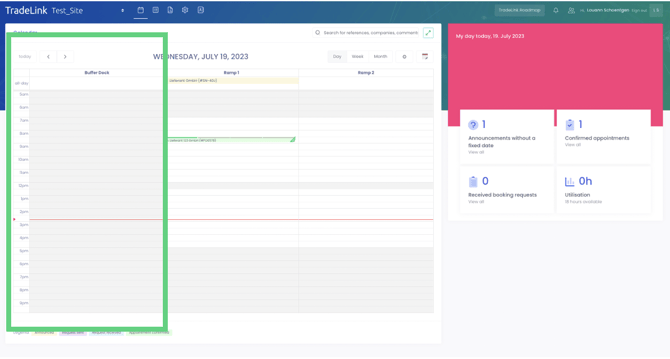
Loading docks can be created in the location settings. Click "+ Create new loading dock" to start configuring them right away.
The first step is to give the loading dock a name (e.g., "Ramp 1"). To activate the loading dock, you must create or assign operating hours.
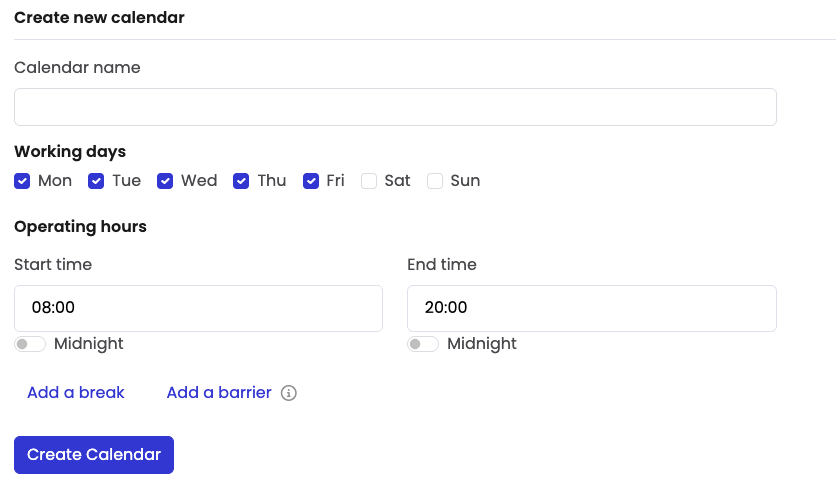
First, create operating hours ("Operating Hours +") or select from those already created.
Give the calendar a name (e.g., location + specific variables) so that it is easier to distinguish later if multiple calendars are to be assigned to a single loading dock.
You can then select the workdays and enter the start and end times.
To minimize the amount of manual work required, you can first create a charging point, including its operating hours, and then duplicate it ("Duplicate"). Note: This only makes sense if these duplicated charging points are to be assigned to the same calendar. If there are charging points with different operating hours, you can either select a new calendar or reconfigure the existing one completely beforehand.
Click "Create Charging Station" to complete the setup, and the new charging station will appear in your calendar.
You also have the option to create a "buffer" slot where you can reschedule appointments. You can create this buffer slot without linking it to your calendar, meaning your partners cannot book it.
Only charging stations that have been assigned a calendar can be booked by external partners. Charging stations that are highlighted in gray (see below) cannot be booked by partners, but can be booked or blocked at any time by the respective site owner.