
Learn more about the benefits of having an account and how to create an account here:
Your truck is stuck in traffic and can't make it on time? You don't have your customer's contact details to inform them of a delay? Unfortunately, these are all problems that can arise in day-to-day business. Fortunately, delays can now be mapped in just a few steps via TradeLink.
To get started, you must first open the booking you wish to report a delay for.
You can learn more about how to find your transport if you do not have a TradeLink Account here: How do I find my transport without a TradeLink account?
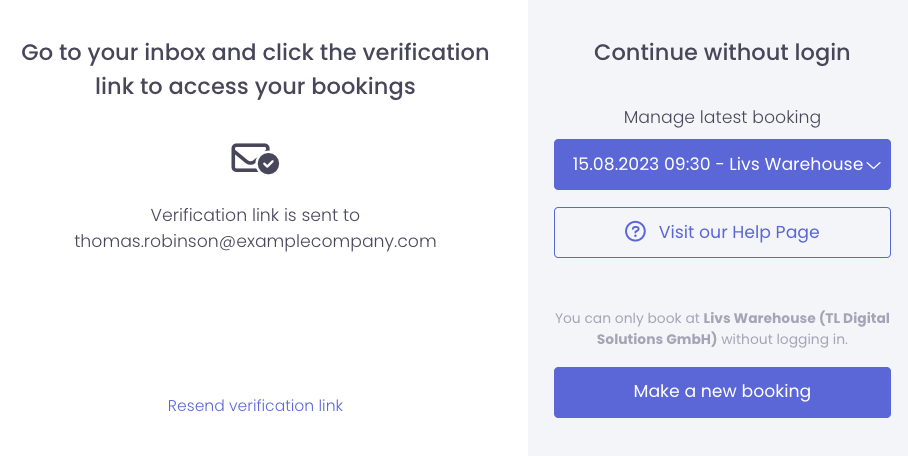
Once you have opened the booking, click on it. You will be shown the possibility to “Report delay”.
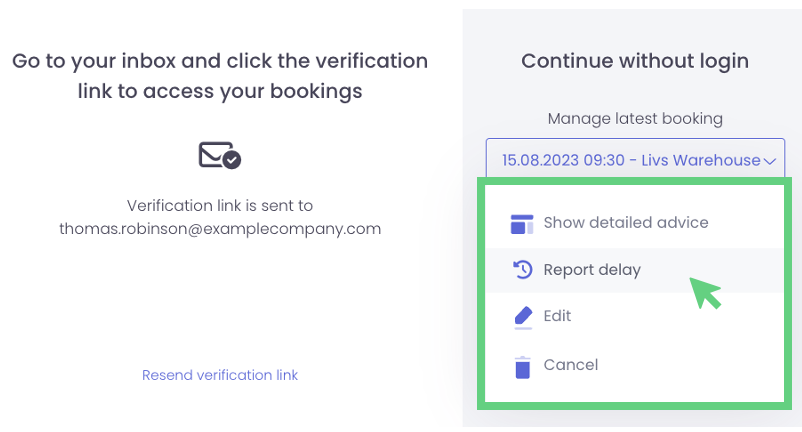
Next, click on “Report delay” and fill in the (new) estimated time of arrival. Optionally, you can also leave a comment and/or reason for the deviation to your customer.
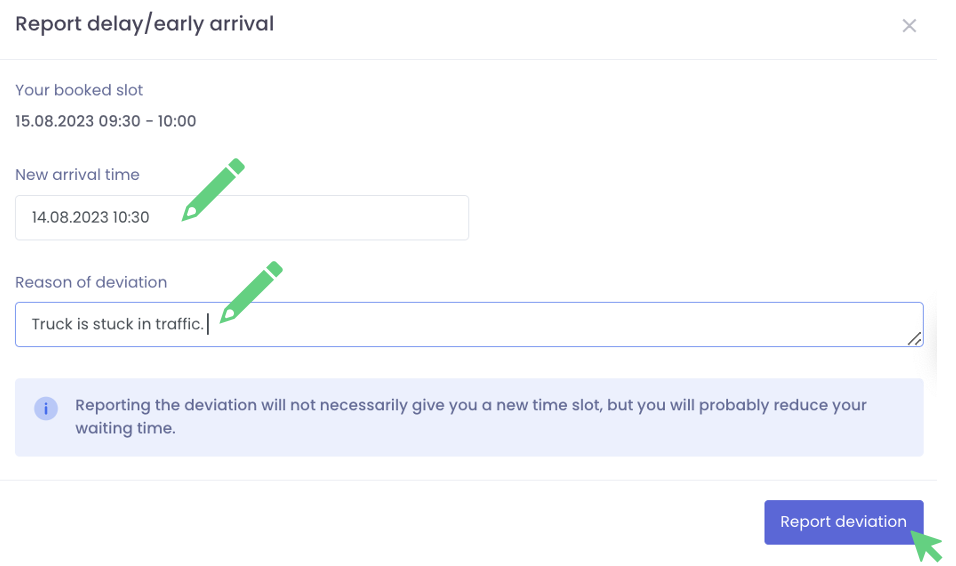
Save your changes by clicking on “Report deviation”.
Your customer will be notified about this deviation and proceed to reschedule, cancel or accept this change.