
If you would like to create a TradeLink account but have never booked with us before, you should first ask your colleagues to forward you the email "Invitation to book a slot at (...)".
Once the email has been forwarded to you, click on "Collaborate Digitally Now" to be redirected to the TradeLink booking portal.
Alternatively, you can ask your colleagues to invite you to TradeLink via your company's "User management". You can find instructions on how to do this here:
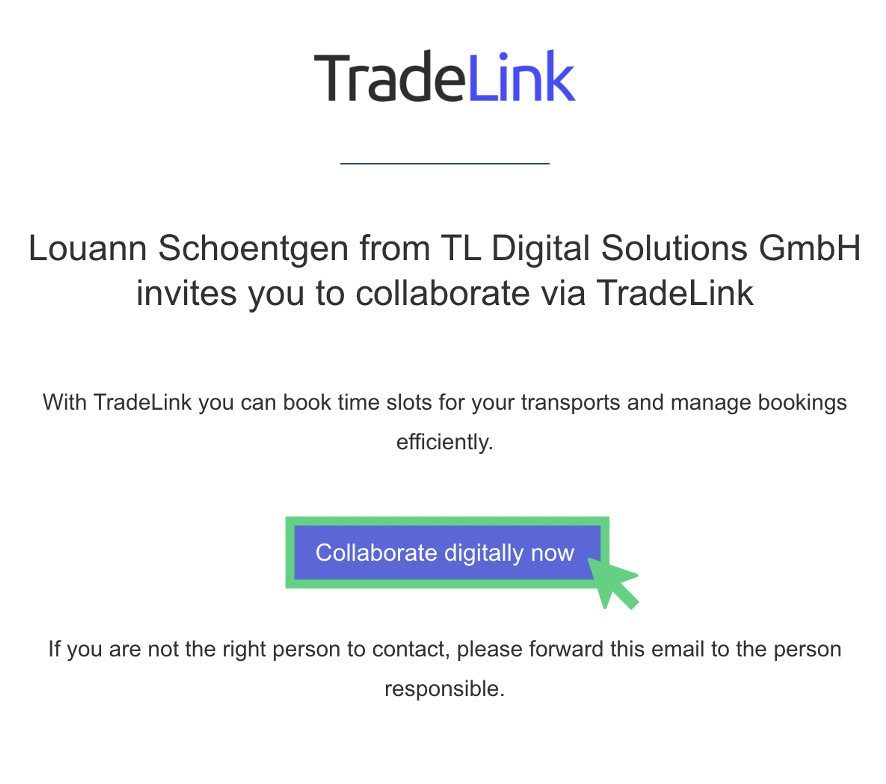
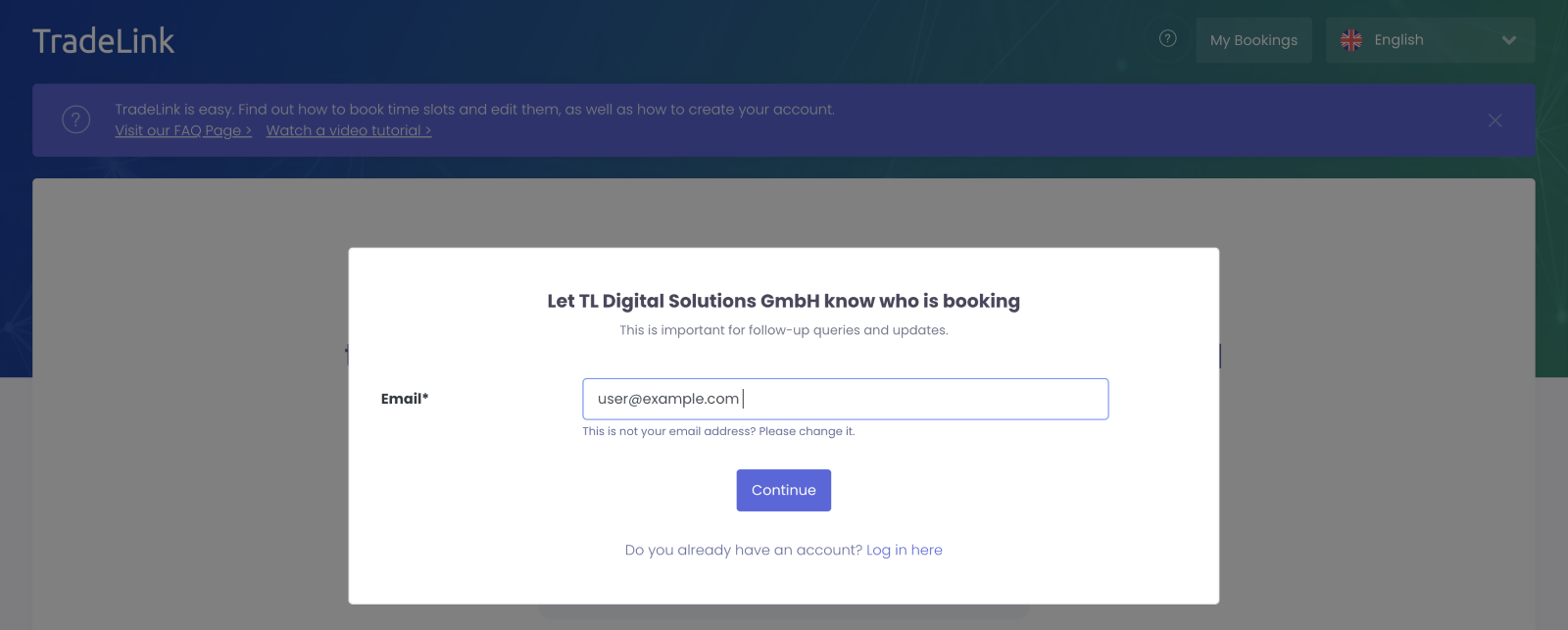
In the next step you change the e-mail of your colleagues stored by the system to your own and click "Next".
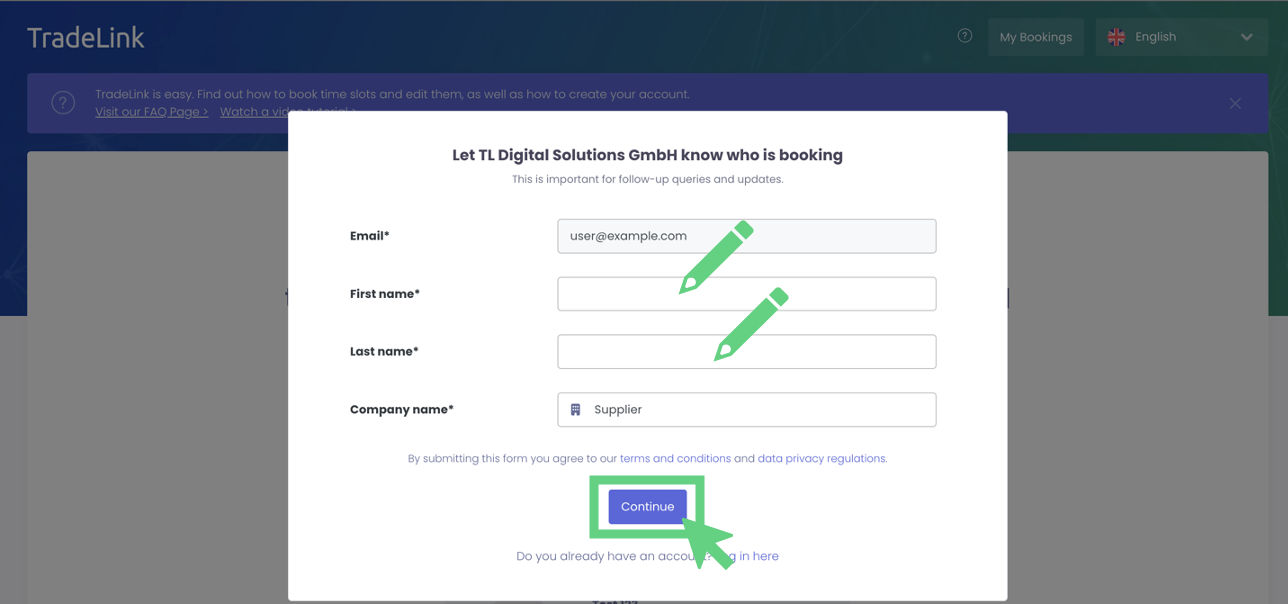
Then fill in your contact details and confirm them by clicking on "Next".
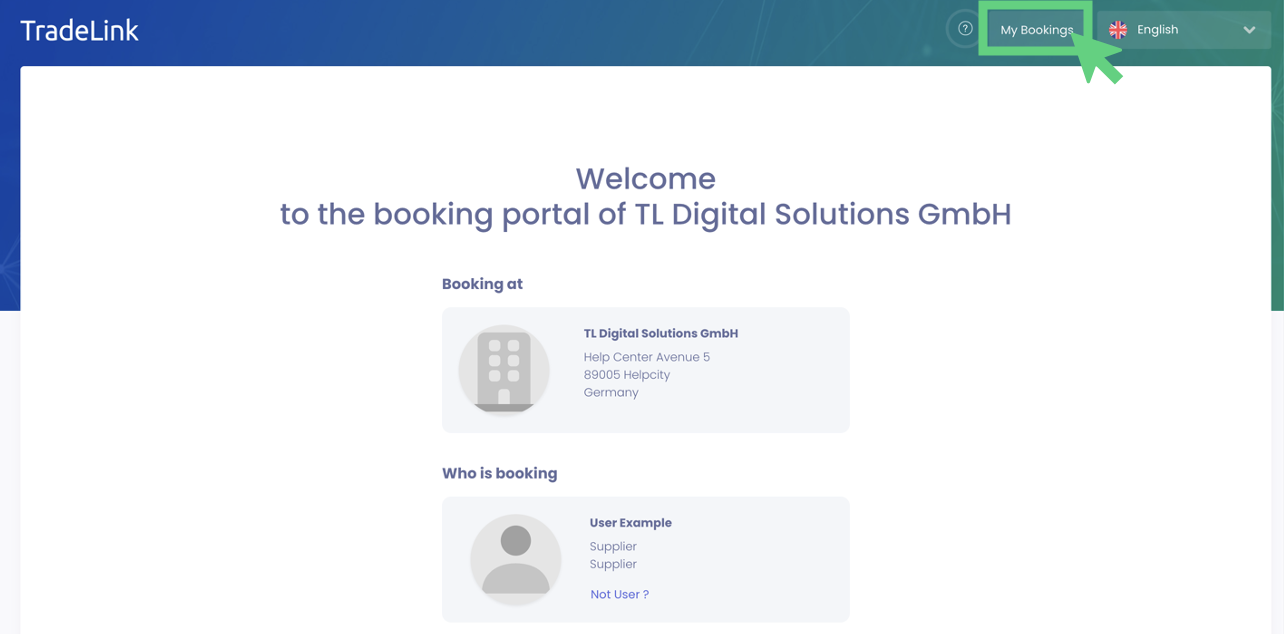
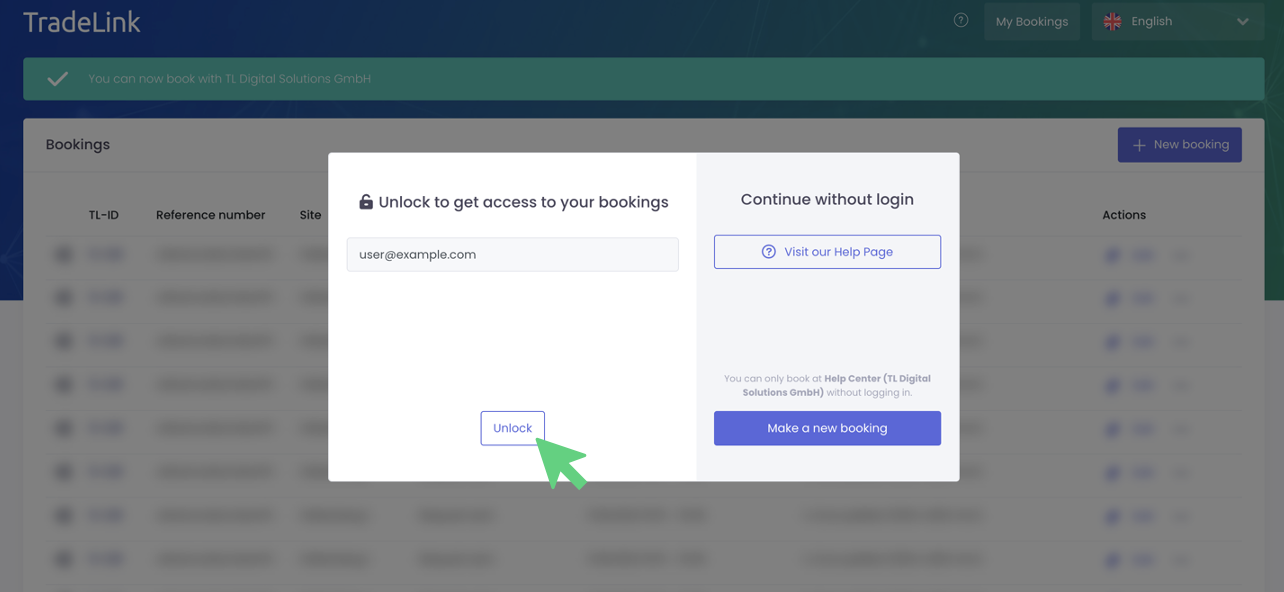
On the home page of the booking portal, click on “My bookings”.
Click on “Unlock” to create your personal TradeLink account.
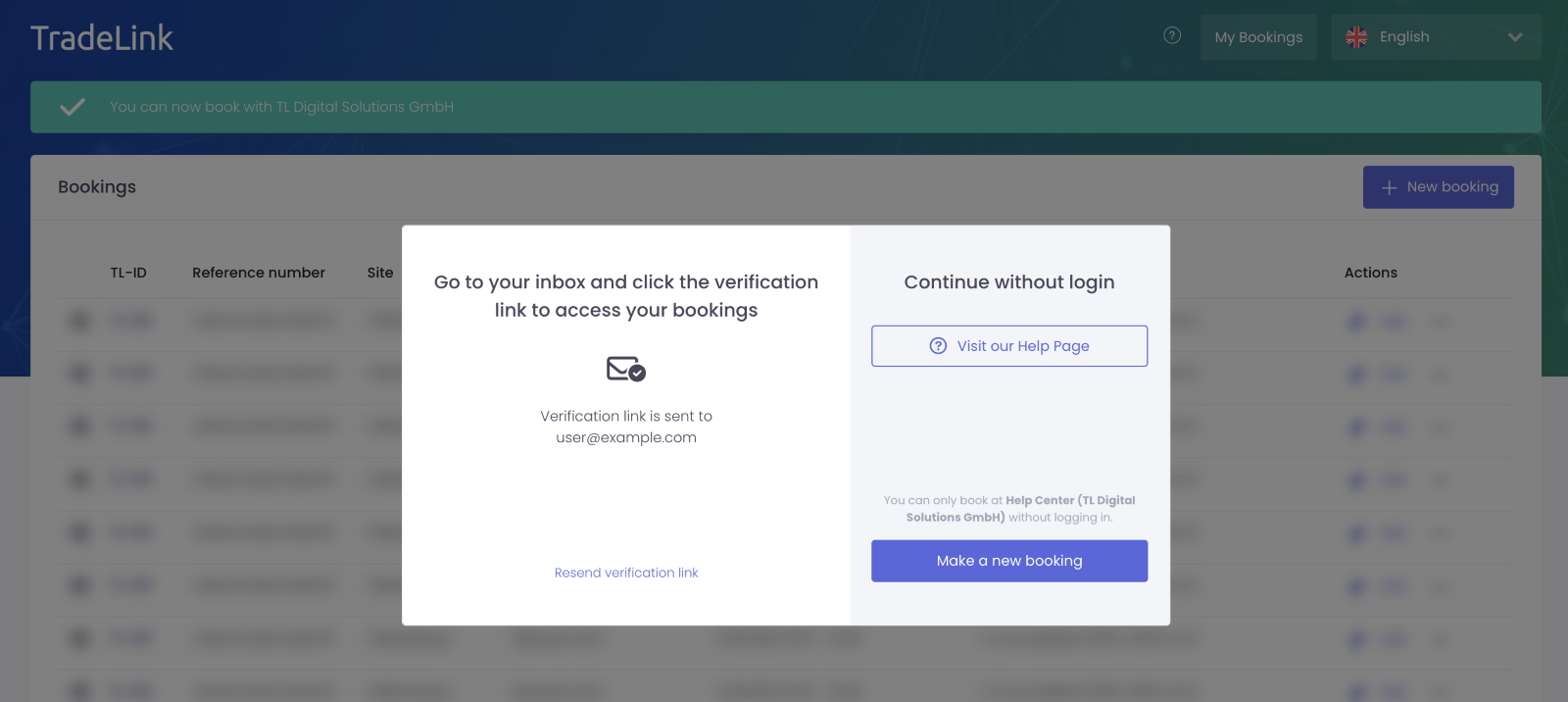
You will find an email in your inbox with the subject “Your access link to TradeLink”.
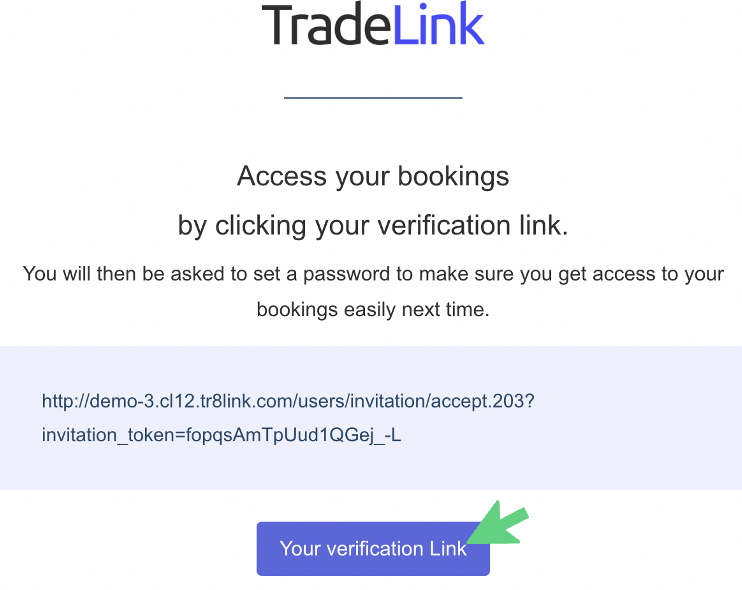
Click on "Your verification Link” in the email or copy the link into the browser of your choice.
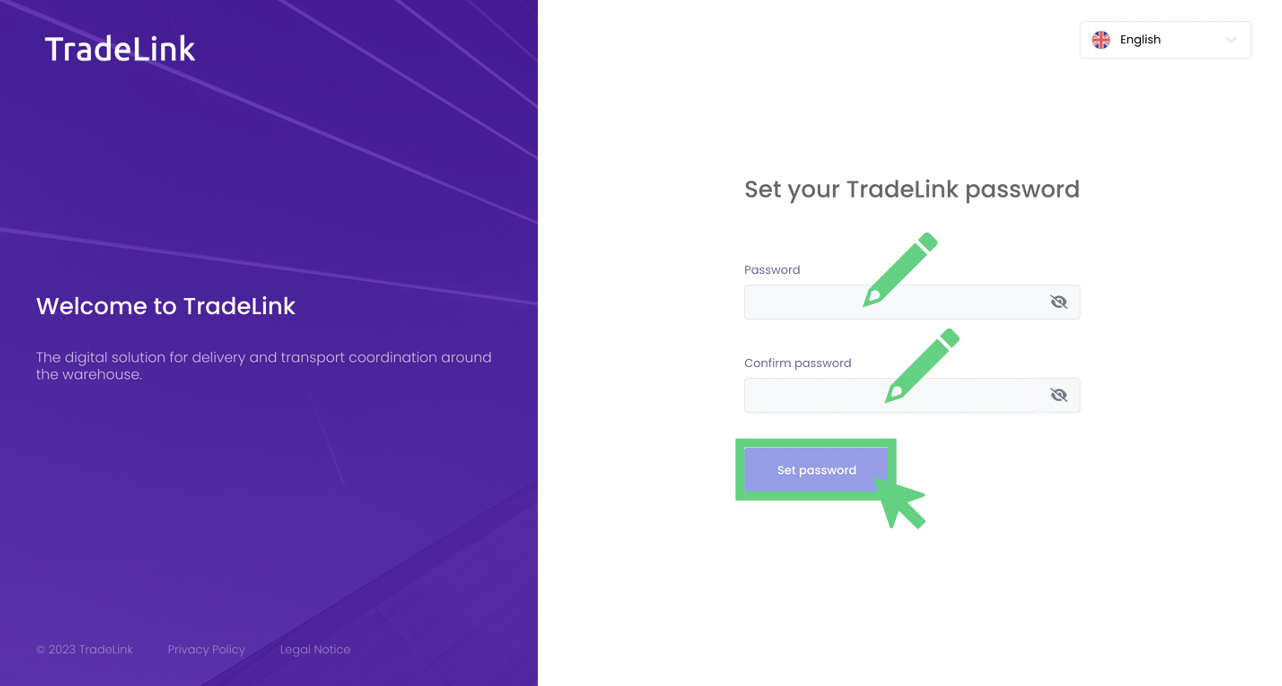
In the last step you will set a password for your TradeLink account and confirm it by clicking "Set password".
You will be directed to your personal booking overview.
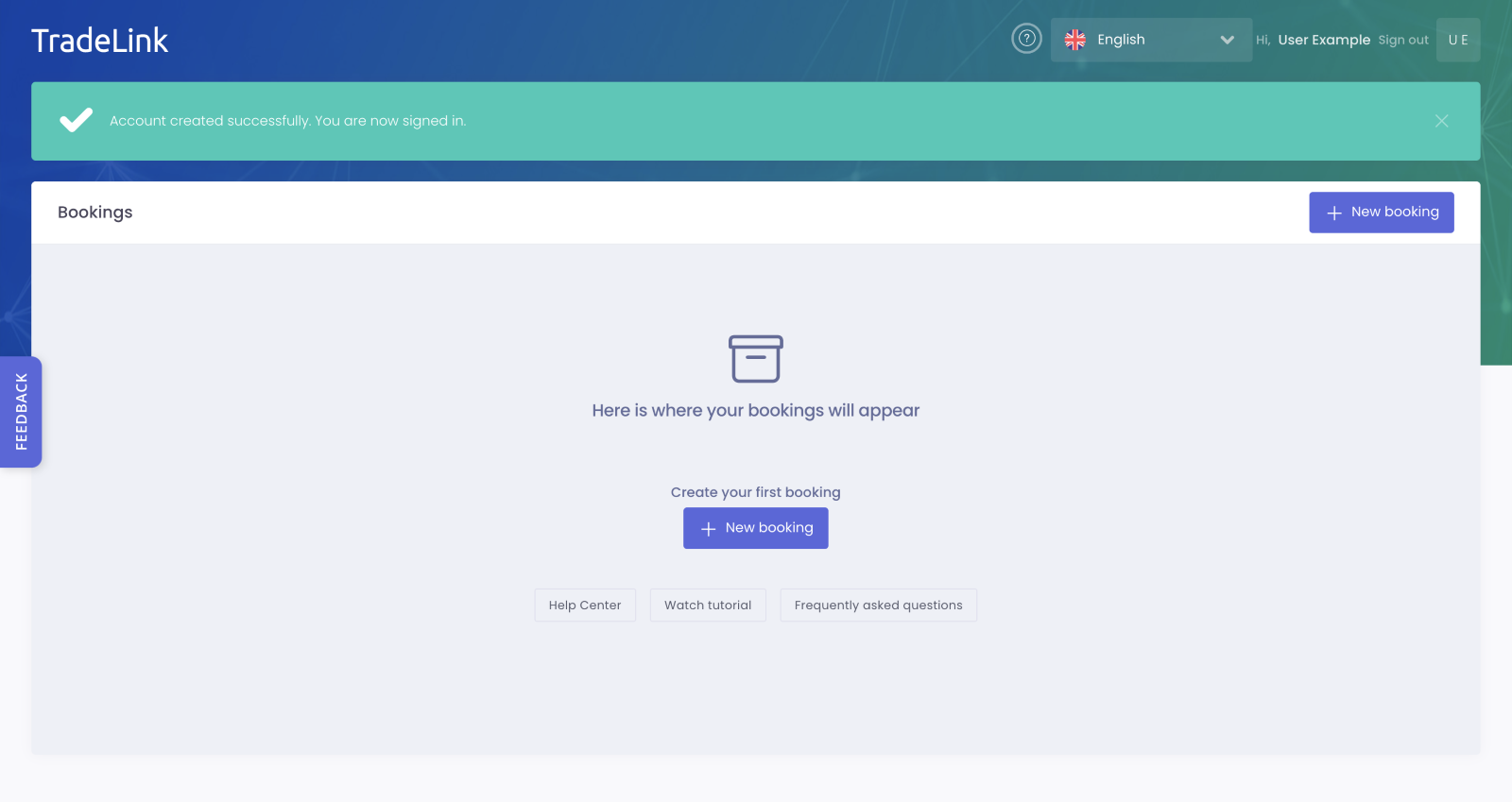
A TradeLink account provides a transport overview at a glance and easy booking management in one central location.
Get your overview now and create your personal TradeLink account!