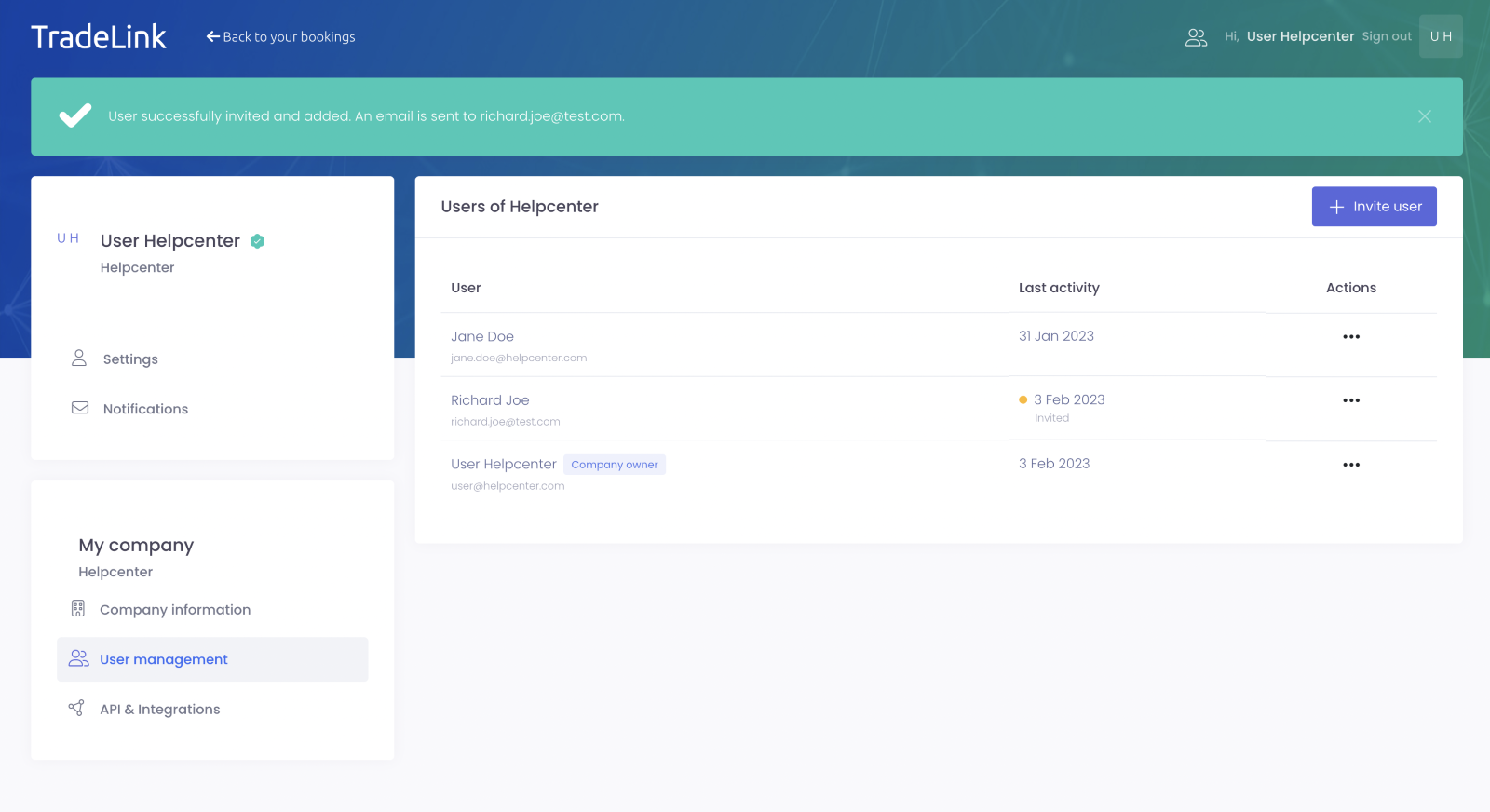
The following user roles have access to user management:
-
Company Owner
-
Company Admin
-
Standard Users (depending on settings)
How do I invite other users from my company to TradeLink?
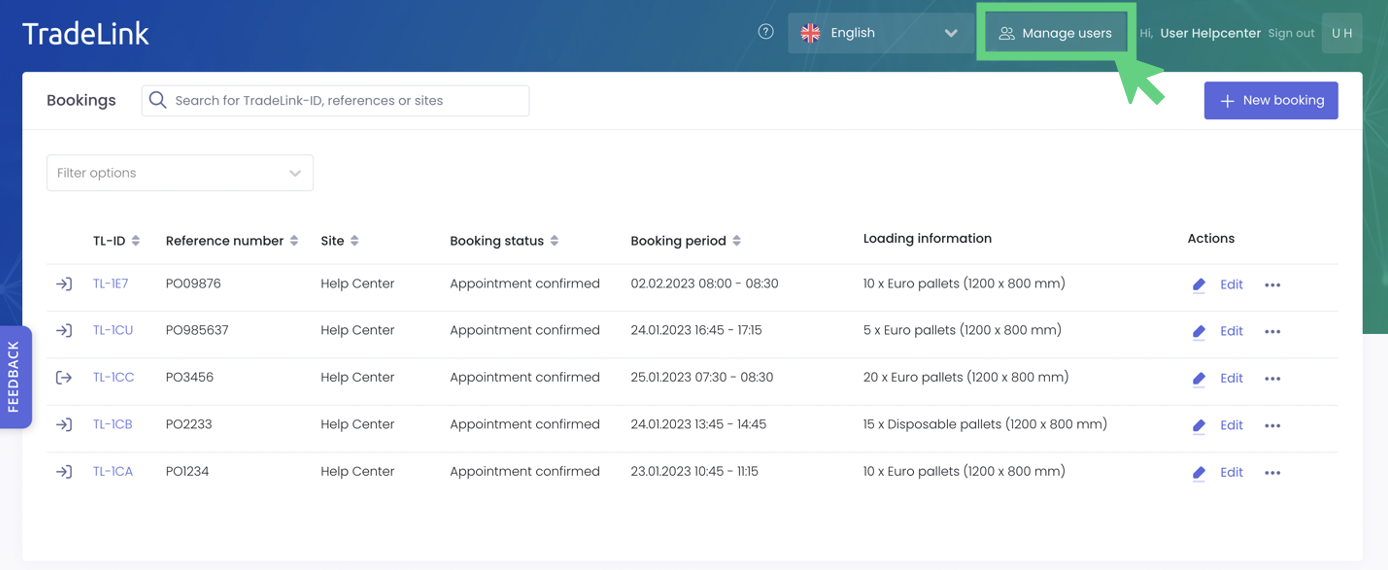
Click on the two person icon to get to the user management of your company
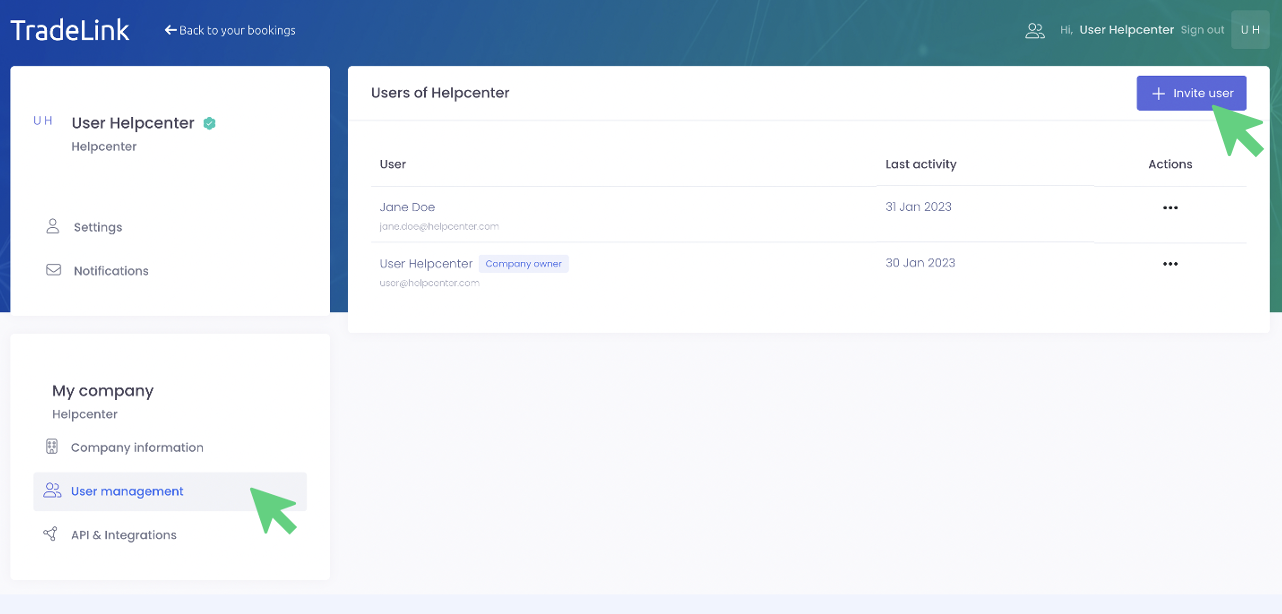
Alternatively, you can access the setting via your personal profile by first clicking on your name and then navigating to “User management” under the segment “My company”.
By clicking on “Invite user” you can easily invite more colleagues.
A new window will open where you’ll be asked to fill out user information.
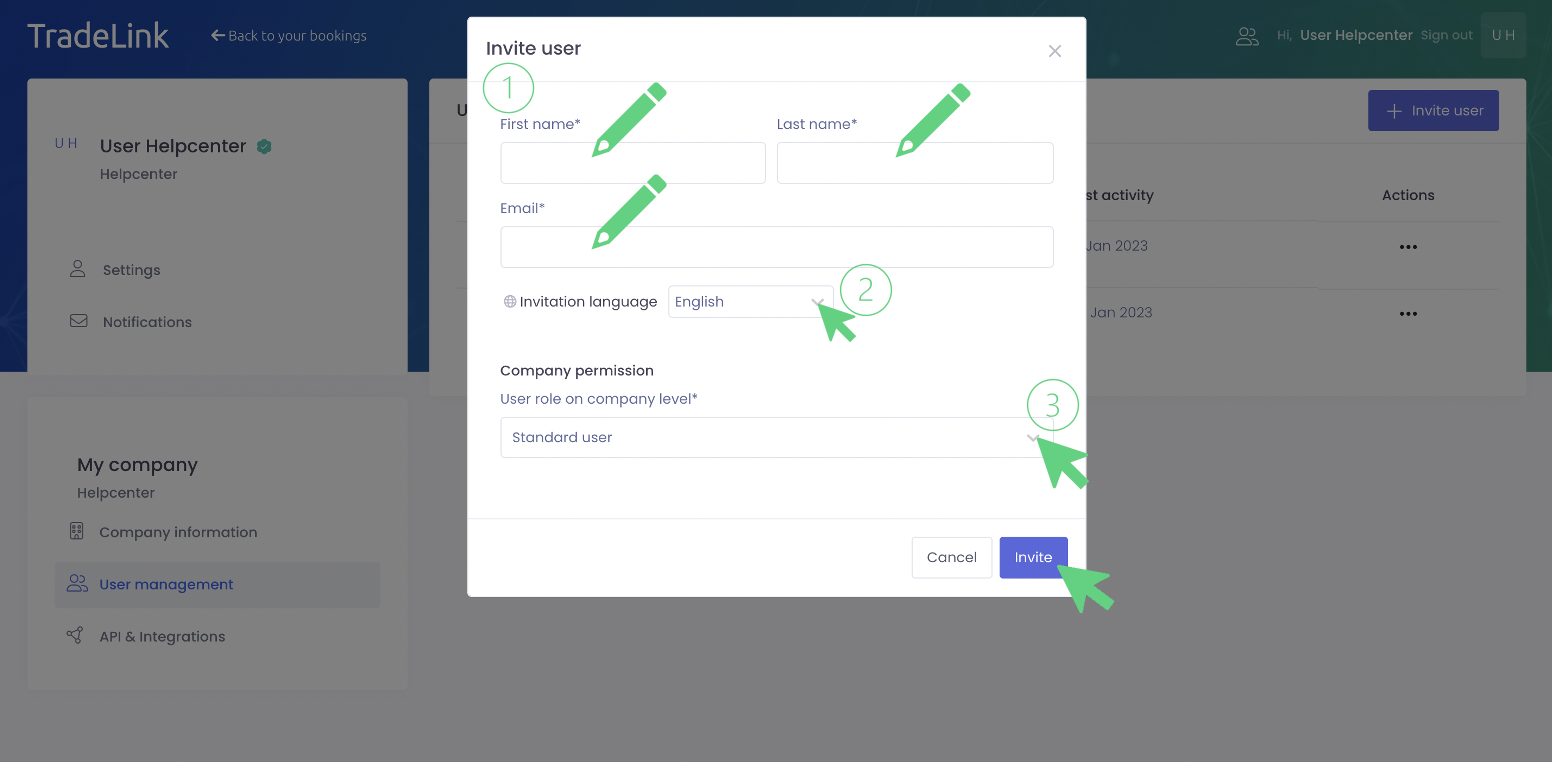
In the next step, select the language in which your colleagues should receive the TradeLink invitation. Lastly, you need to define the user role for your colleagues, you can read more about this here:
💡What rights are associated with the different user roles?
By clicking on "Invite", the invitation to TradeLink will be sent to your colleagues.