
We will tackle these options in this article. However, to manage all your bookings at a glance, we recommend you create a TradeLink account.
💡Why should I create a TradeLink Account?
Receive information about booking changes in your account
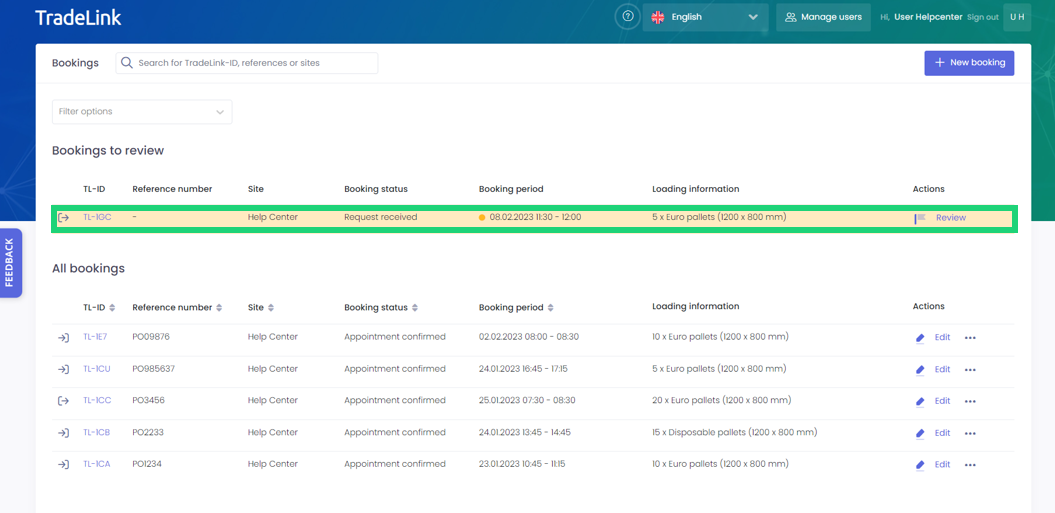
Bookings that have been changed and require further review by you always appear with a yellow background at the top of your list view. This way, you will never miss a booking change.
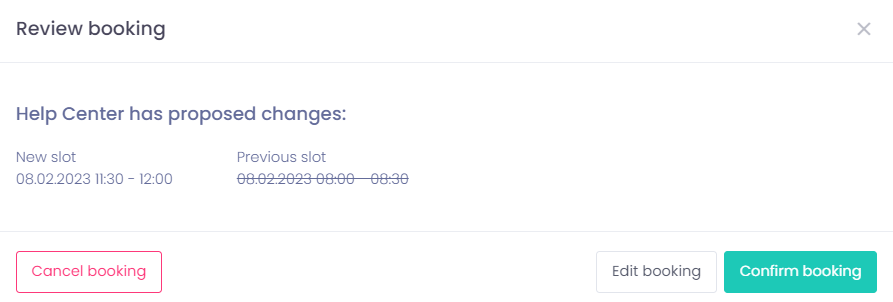
When you click on "Review", you will be shown more details about the change(s) made to your booking. You can then confirm, edit or cancel the booking.
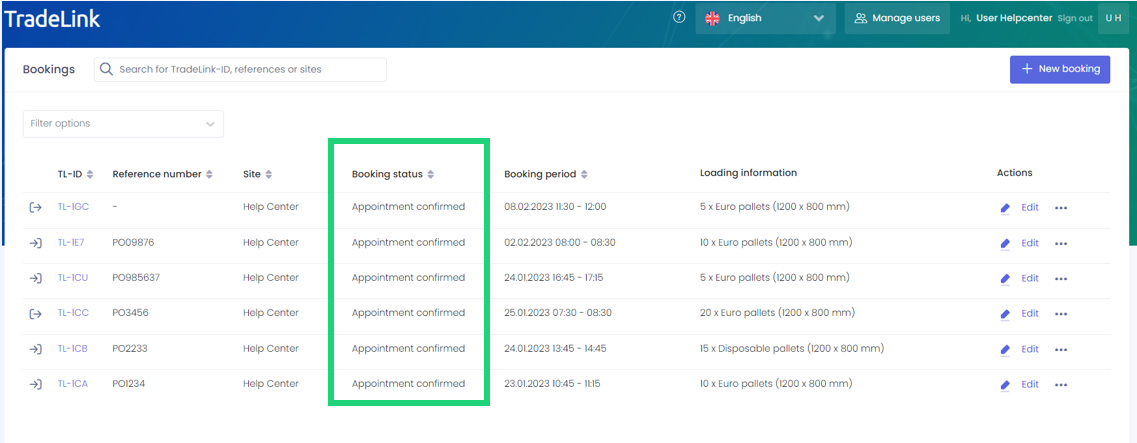
The “Booking status” in the list view provides additional information about the management of your bookings. Here you can see whether bookings made have been confirmed or if they are still pending.
You can find a detailed overview of all changes in the change log of the respective booking. You can find out how to find the change log here:
💡How can I track changes made to my booking?
Never miss a booking change again and always stay up to date!
Receive information about change(s) made to your booking by mail
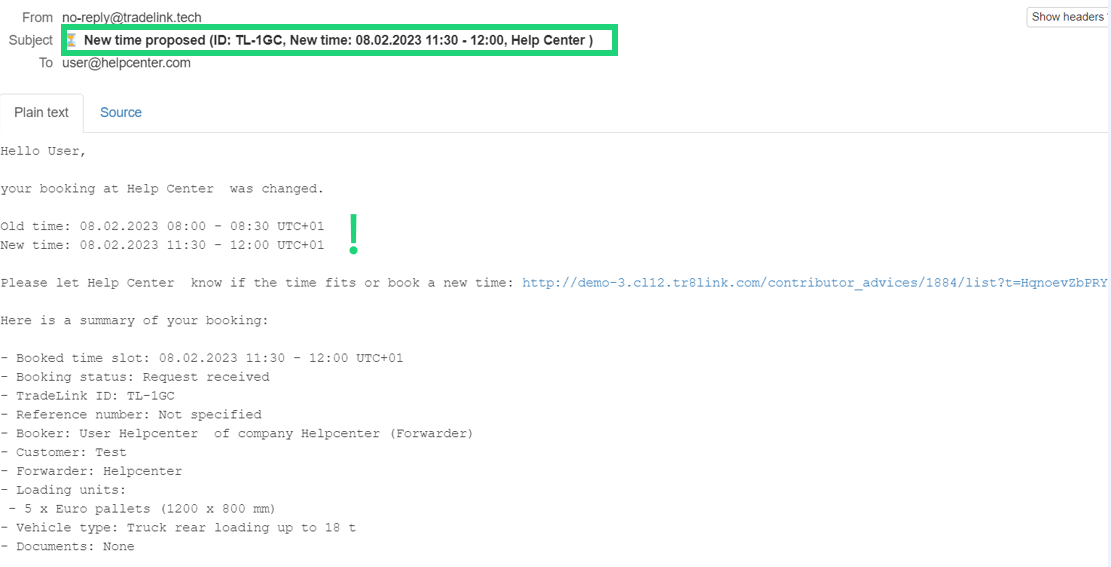
When a change is made to one of your bookings, an email is automatically sent to you if your email notifications are activated. The email will show what changes have been made, as well as a summary of the booking.
You can manage your E-Mail notifications in your TradeLink account.
💡How can I turn notifications on/off?
Now you'll never miss a booking change again!