

1. Collaboration across all departments on TradeLink
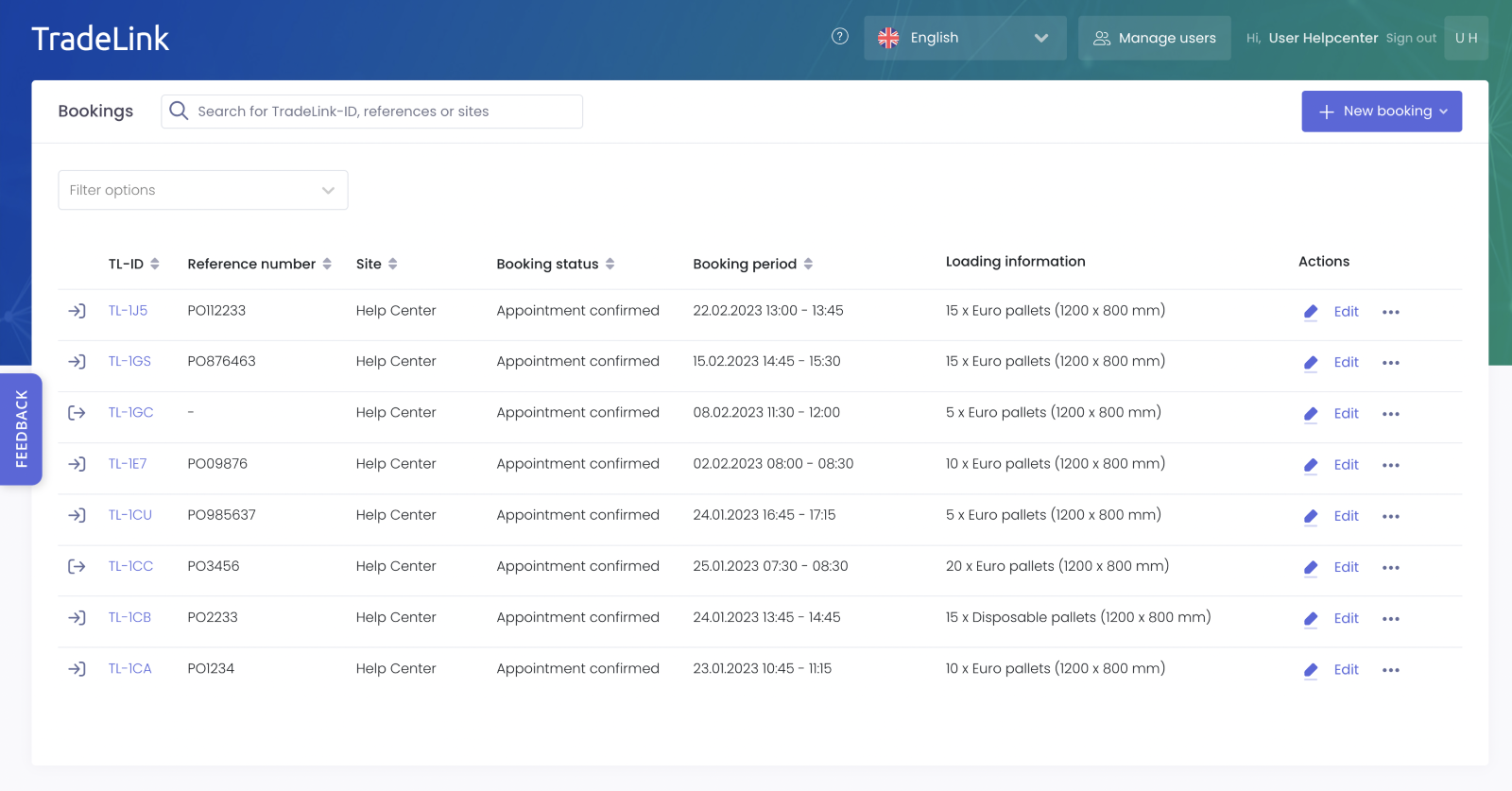
The exchange of information around logistics will save active TradeLink users a lot of work and time. From the starting point of logistics, it makes sense to give access to TradeLink to the departments that generate daily internal requests in the form of emails and phone calls to logistics (e.g. purchasing, sales, warehouse). In the user management of your company, new colleagues are invited to TradeLink in a few steps. They can have certain read and/or write permissions according to their department's area of responsibility. In addition, each user can customize the calendar and list view and get a personal overview of the logistics via TradeLink.
2. Advantages for my department
-
Fewer emails and phone calls
Many internal inquiries that you previously answered by email or phone can now be answered by your colleagues themselves with the clear calendar or list view in TradeLink. Obtaining information is simplified with TradeLink, and communication channels are shorter.
-
Real-time data retrieval & status
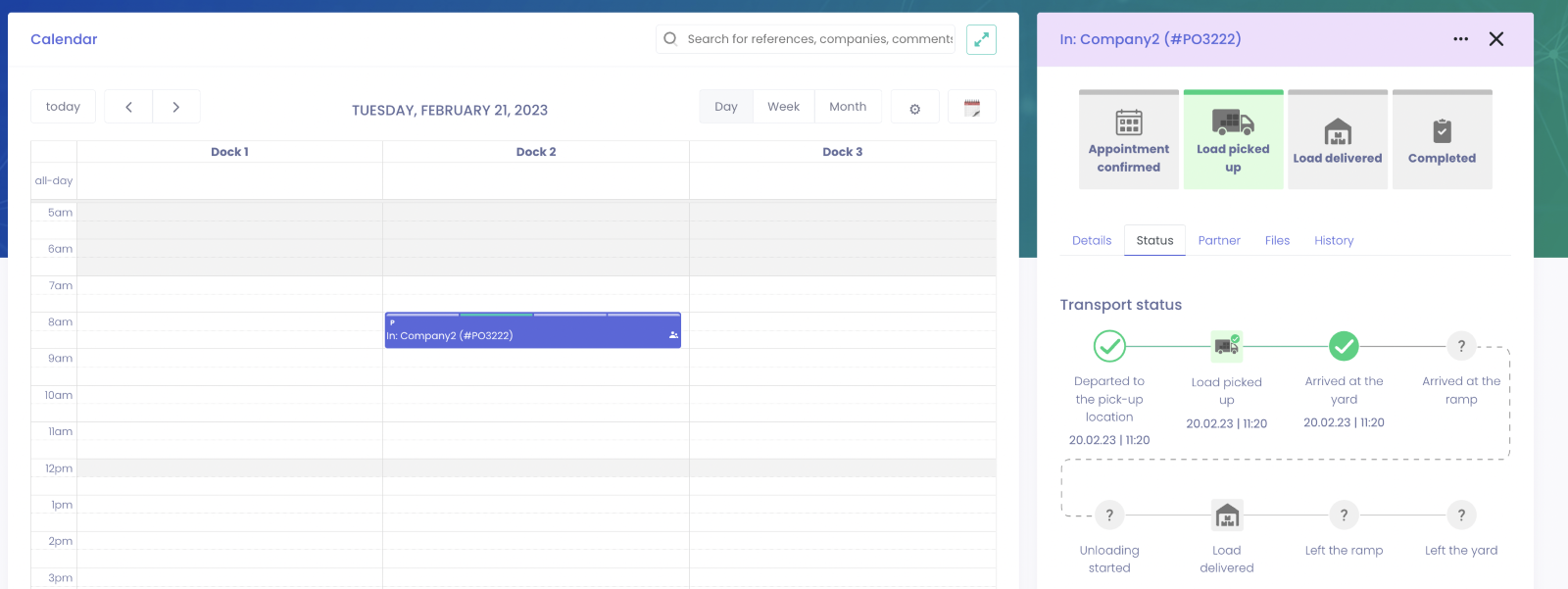
All information is updated in real-time and are available to all departments at any time. Colleagues from logistics and purchasing, for example, know directly if a supplier shifts his confirmed time slot to another day or what e status points have been set.
-
Digital document exchange
From delivery notes and orders to photo documentation of damaged goods, any documents can be shared between warehouse, purchasing, and sales on TradeLink. You can even share your digital documents with external parties.
-
Maximum transparency
With its own access to TradeLink, each department gains insight into all relevant information related to logistics at the site.
-
Collaborative entrepreneurial culture
Improved information exchange, transparency and simplified collaboration between departments sustainably changes the corporate culture and additionally creates a sense of community.
-
Collaboration with external partners
Your colleagues from sales or purchasing have additional points of contact and concerns with your external partners through regular conversations. By connecting other departments, you can ensure that in the future all transports are notified via TradeLink and the notifications appear in your calendar. This way, unannounced transports can be reduced.
In the following, we detail specific benefits for the logistics, purchasing, sales, and management departments.
2.1. Logistics
This includes, in particular, the employees of the inbound and outbound disposition, the operational employees at the site (ramp employees, shift supervisors, etc.) and the warehouse logisticians. Logistics as a department is the starting point of any TradeLink implementation and, therefore, also enjoys the following benefits first:
-
Easier personnel planning: With a glance at the TradeLink calendar, ramp staff can effectively be assigned and shift adjusted on short notice (if needed).
-
Prioritization for loading/unloading: The notified transports give the operational staff a clear indication of which truck should be loaded/unloaded first – effectively putting an end to discussions about preferential treatment at the yard.
-
Transparency in the daily business: The calendar view can be displayed on a large screen for employees on the ground floor. Through real-time updates, the time windows in the calendar are automatically updated, so everyone is directly informed as soon as the arrival time of a truck changes.
2.2. Purchasing
Behind every delivery at your yard there is in most cases a purchase order from the purchasing department. Connecting the purchasing department to TradeLink therefore offers you the following advantages:
-
Transparency about arrival of goods: Using the search tab in TradeLink, you can find out if the goods for an order have already been delivered and also at what time and date a time slot was booked.
-
Document exchange in case of damaged goods: If goods damaged or incomplete upon arrival, photos and documentation can be easily shared with the purchasing department (and external partners at the same time) on a notification-specific basis..
-
Evaluation of partner performance: The reporting in TradeLink allows you to see how often suppliers or forwarders deviate from their advised time windows. This information can be very valuable for the next negotiations with the suppliers.
2.3. Sales
Sales has a great influence on pick-ups, which gives the department similar advantages to Purchasing. Especially for the change in delivery terms (e.g. Ex Works), it is important for Sales to know if and when a customer or his forwarder books a time slot.
2.4. Management
Integrating management into TradeLink creates transparency, especially through the analysis of your data in the reporting area. With insight into the “operational key figures” dashboard, managers are made aware of how many transports are currently being handled at the yard. From this, trends can be derived that can be important for personnel planning or budgeting at a company level.

3. How to invite other departments & colleagues to TradeLink
Provided that your TradeLink account is registered as company owner/admin, you have the possibility to invite and manage other users of your company independently.
You can do so by following the steps below:
1. Login to tradelink.services
2. Navigate to the settings by clicking on your name in the top right corner.
3. Select “user management” on the left side under the “My company” window.
4. Invite your colleagues from the corresponding departments by clicking on “invite user”.
If you are not a company owner/admin, please contact existing company owners (noted in the user overview) to have the appropriate rights transferred to you.
You can find detailed instructions and explanations of the user roles here in our help center.