
The list view gives you an overview of all bookings booked in the calendar.
You can open this view by clicking on the "List" icon at the top:
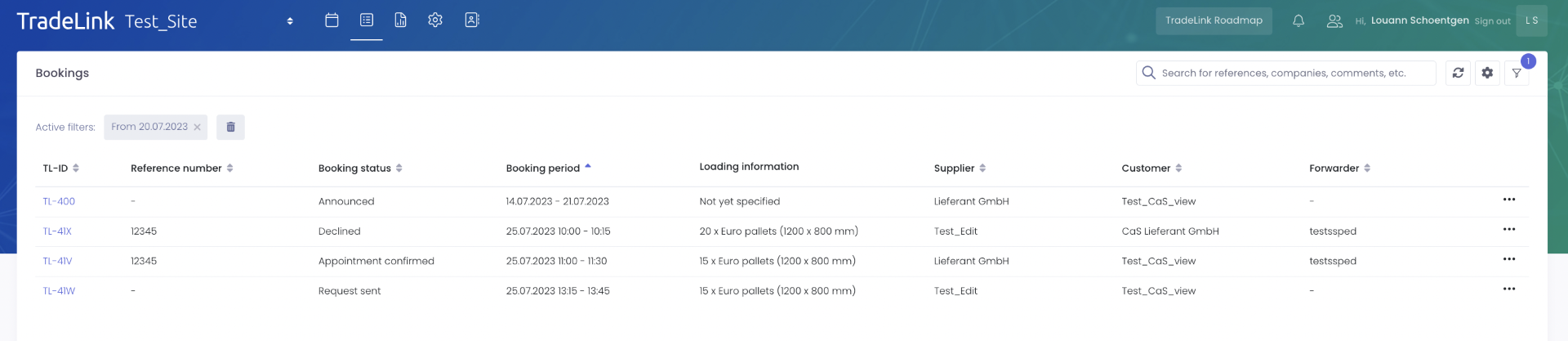
In the list view, you can see all bookings that were either created internally by you and your colleagues, as well as those that were booked by your partners for your location.
In the settings, you can choose which information you want displayed in the list view. For example, you can display the appointment status including TL ID, the parties involved in the transport, the reference and many more.
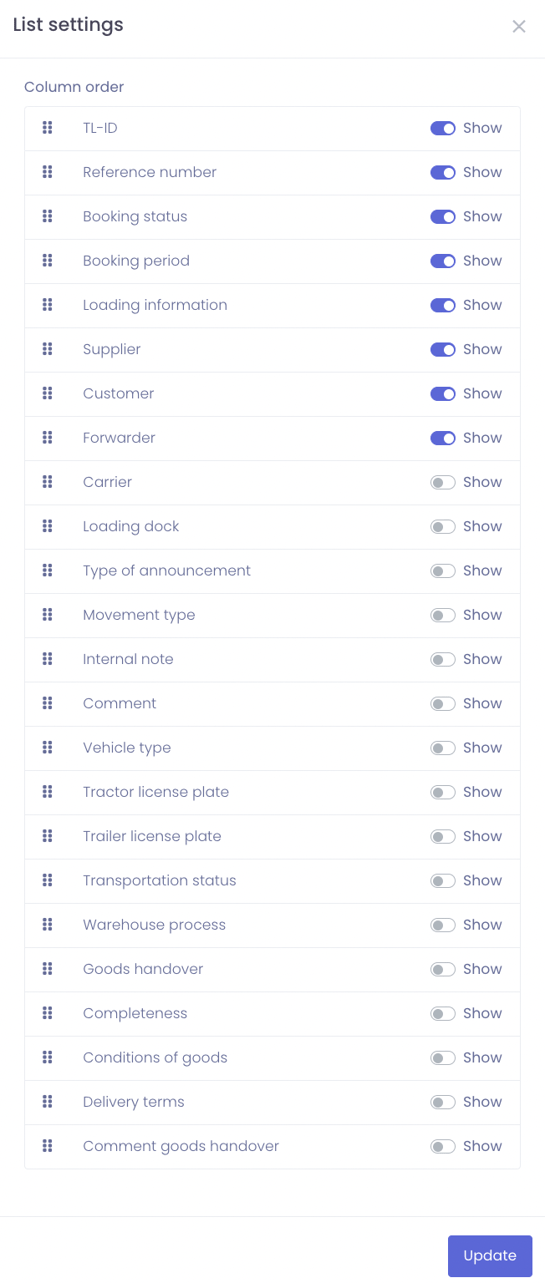
You can then filter this information using the filter function. To do this, click on the "Filter" icon on the right-hand side. The following window will open:
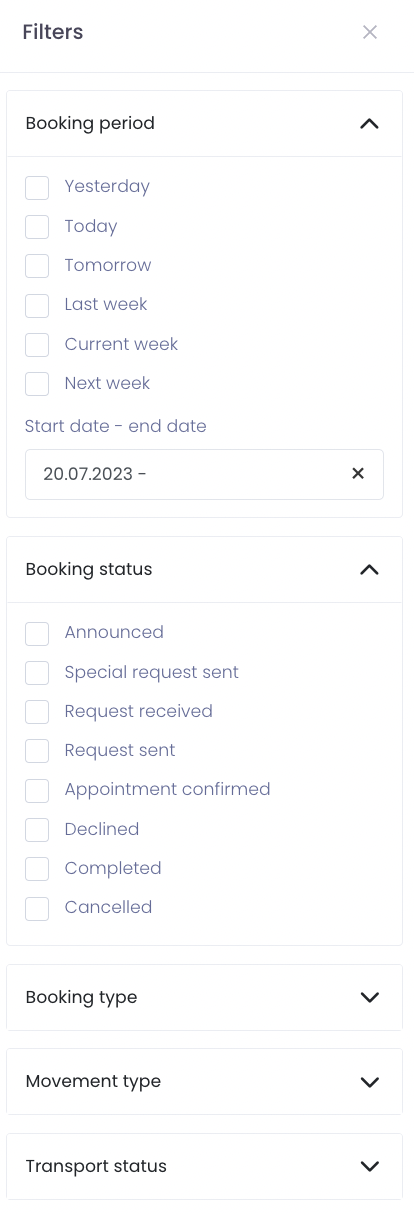
You can filter the bookings by:
-
Booking period
-
Booking status
-
Booking type
-
Movement type and
-
Transport Status
You can also search for bookings of specific partners in the list view and manage them directly from there.
You can enter notes, the TL-ID, company or reference of the respective booking in the search tab at the top.

You can now manage the booking via the three dots on the far right. You can for example accept or reject the booking.