
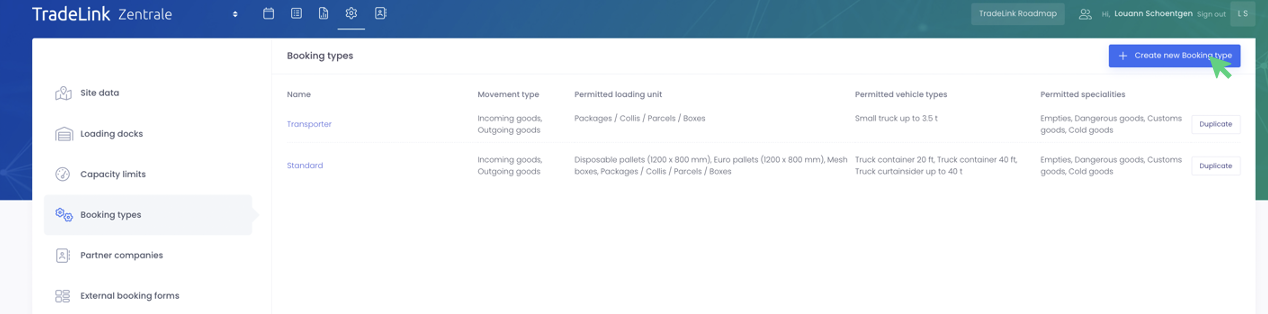
You can create booking types under "Booking types" in the site settings.
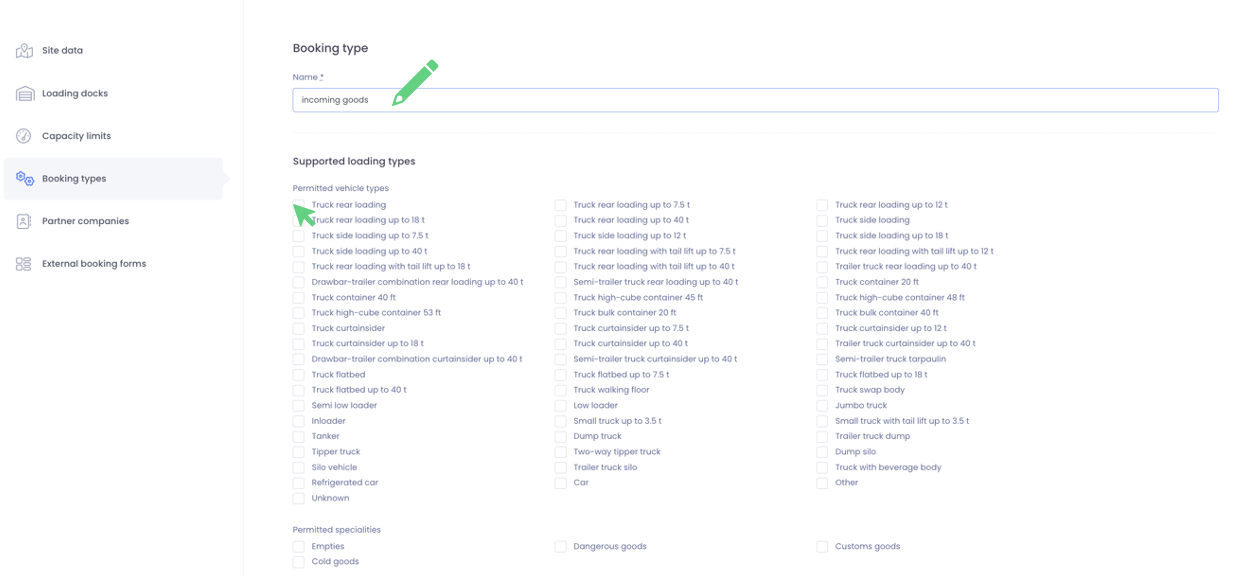
First, you can give the booking type a name, e.g. "Incoming goods".
Then you have to select all vehicle types that are supported at the ramp for this booking type.
If specialities are allowed (e.g. empties, dangerous goods,...) this can be marked by ticking the corresponding fields.
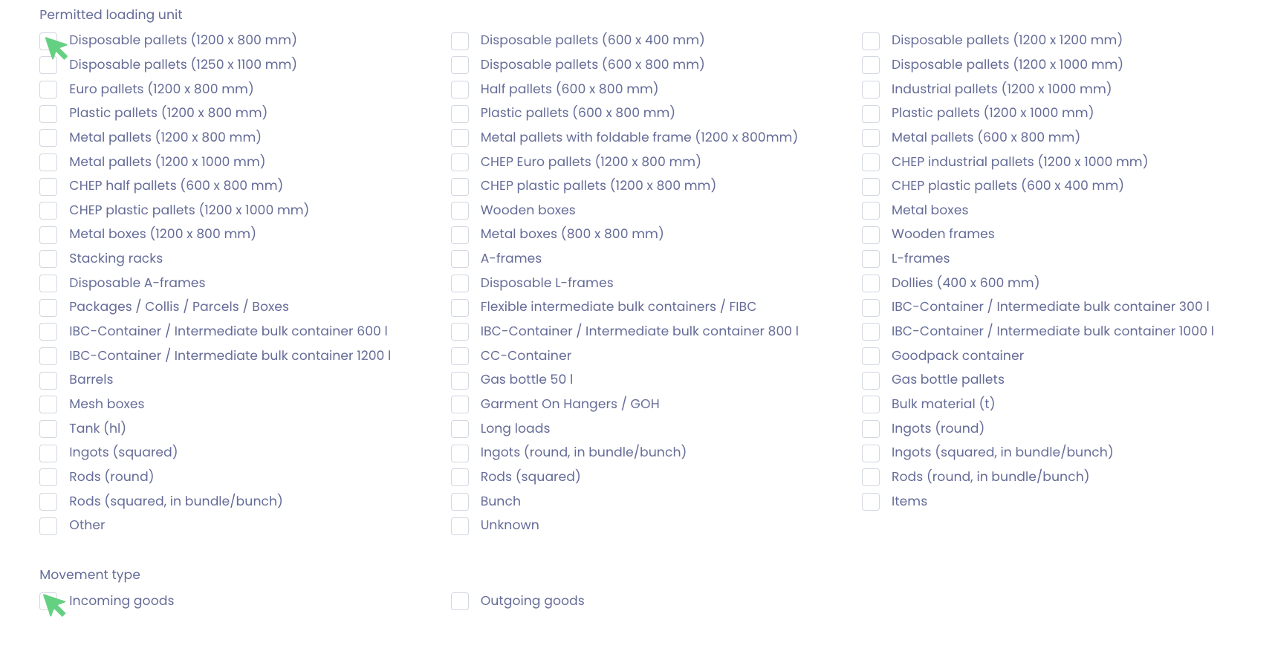
Next, all loading units allowed for this booking type must be selected.
You also need to select wheter this booking type applies to incoming or outgoing goods or both.
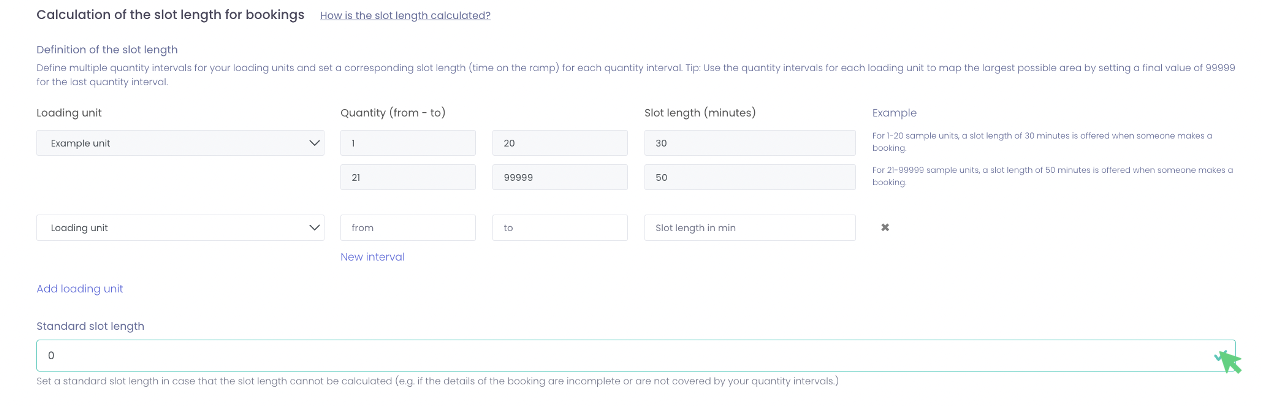
The next step is very important, as it determines the length of the slot booked.
For each loading unit that you selected in the previous step, you must specify an interval (see the example).
For 1-20 sample units, a slot length of 30 minutes is offered during booking.
You must also specify a default slot length in case the slot length cannot be calculated (for example, if the booking data is incomplete or not covered by your quantity intervals).
How is the slot length calculated?
When bookings are made at your site, the slot length is calculated based on the specified load or set to the "standard slot length".
Calculation with one specified loading unit:
-
If the specification lies within a quantity interval, the defined slot length is used.
-
If the specification is outside a quantity interval, the standard slot length is used.
Calculation with several specified loading units:
-
If all information is within your quantity interval, the defined slot lengths are added up.
-
Information that is not covered by your quantity intervals will not be taken into account in the calculation.
-
If all information is outside the quantity interval, the standard slot length is used.
The last step is the status configuration. Here you can select which status points should be set for your goods receipt and goods issue processes.
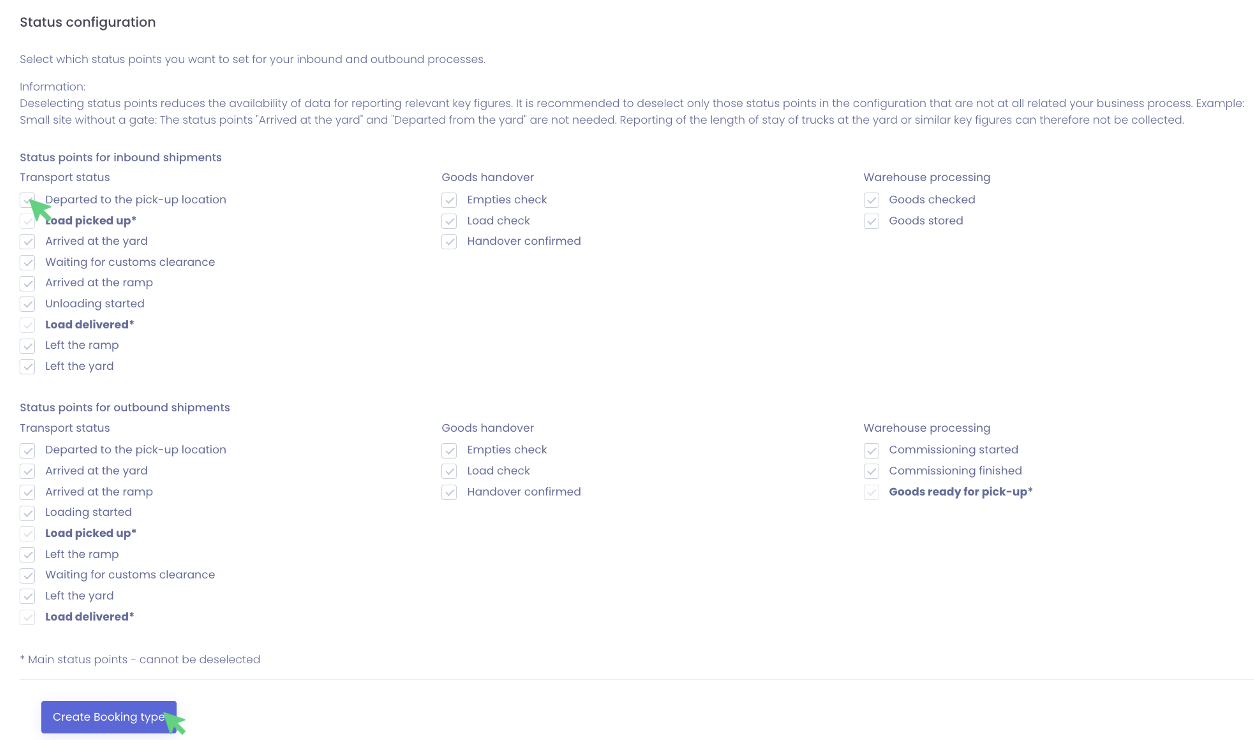
You can save your entries by clicking on "Create booking type"
Assignment of booking types to loading docks
Here you can learn how to create and configure loading docks.
Once your booking type is created, you have to assign it to a loading dock.