How to create a blocker?
A blocker allows you to block certain times in the calendar, these time slots are then not bookable.
For example, you can set blockers for holidays, all-day blockers or series blockers.
Alternatively, you can use blockers to control the capacity as well as the utilization (mornings and afternoons) at a ramp at short notice.
Click on the desired start time for your blocker in the calendar or select the time slot via drag and drop. A new window will open.
Select the "Simple Blocker" option and give your blocker a title, for example "Holiday" or "Maintenance". You can also customize the start and end time of your blocker if you wish.
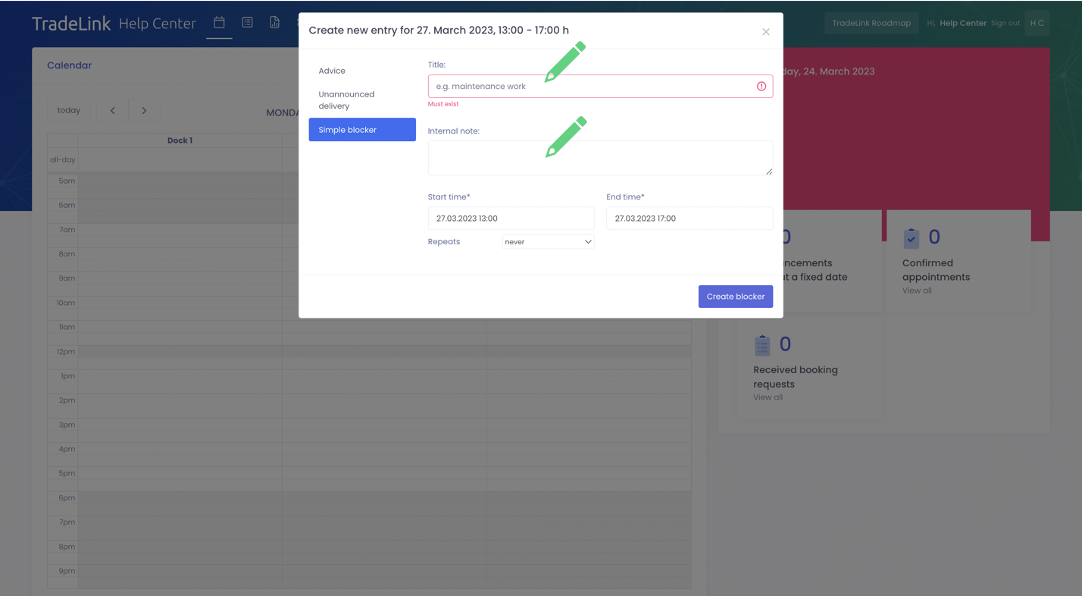
If you want to create a series blocker, you can select an interval under "Repetitions".
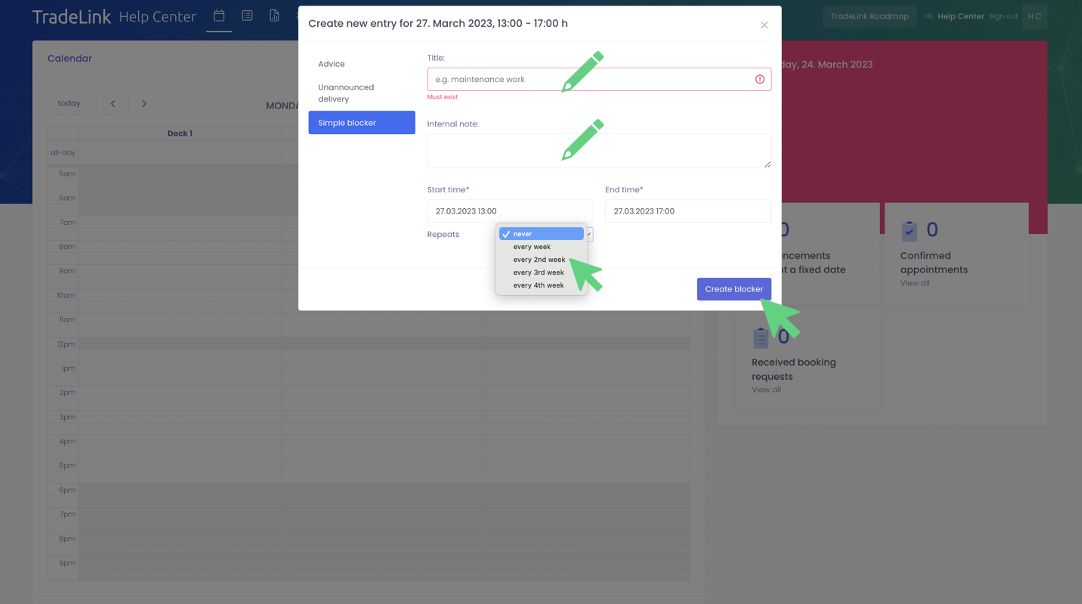
By clicking on "Create Blocker" the blocker will be created and will appear in your calendar.
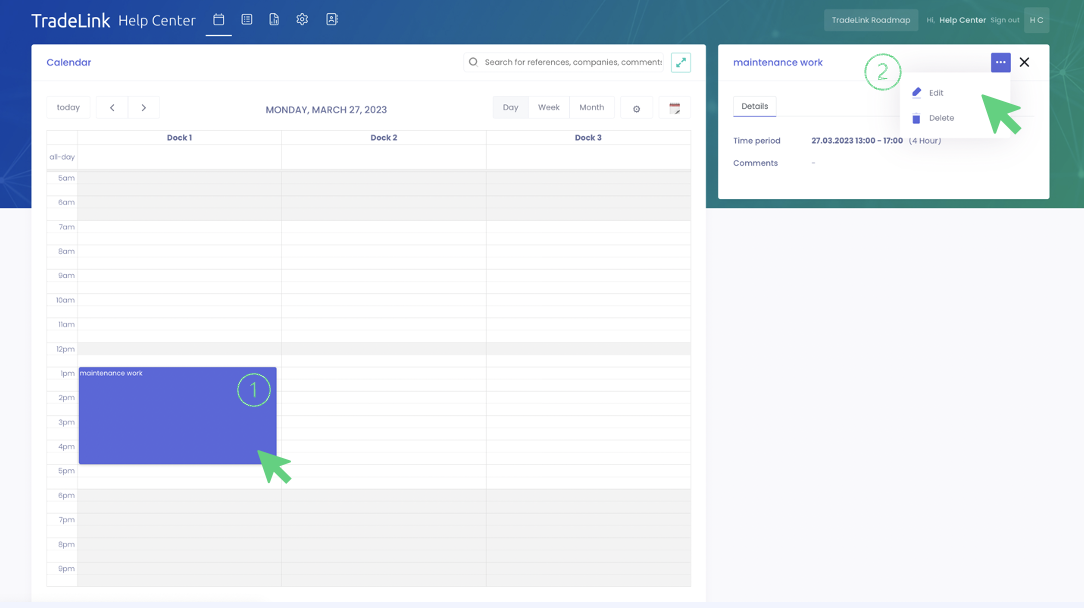
If you want to edit or delete the blocker, you can easily do so by clicking on the blocker in your calendar and selecting "Edit" or "Delete" under the three-dot menu on the right.